BitLife - Life Simulator
- 4.4
- Rating
- 50.00M
- Installs
- Free
- Price

 Analysis by App-foxy
BitLife is the kind of simulation game I open when I want a complete story without committing to a long strategy session. I can begin with an ordinary virtual life, make a few decisions, and watch the consequences unfold in minutes. Sometimes the result is thoughtful and surprisingly personal; sometimes it becomes an absurd chain of bad choices that is funny precisely because it is so far from real life.
That flexibility is the main reason I keep coming back. The game from Candywriter, LLC lets me guide a character through life choices rather than control every movement or manage a complex map. It is free to start, rated Mature 17+, and sits firmly in the simulation category. The current version is 3.24.5, while the game supports devices running Android 7.1 or later. Optional purchases range from $0.99 to $27.99 per item, so the basic entry point is easy, but players should pay attention to how optional spending fits their habits.
How clearly the game presents a life story
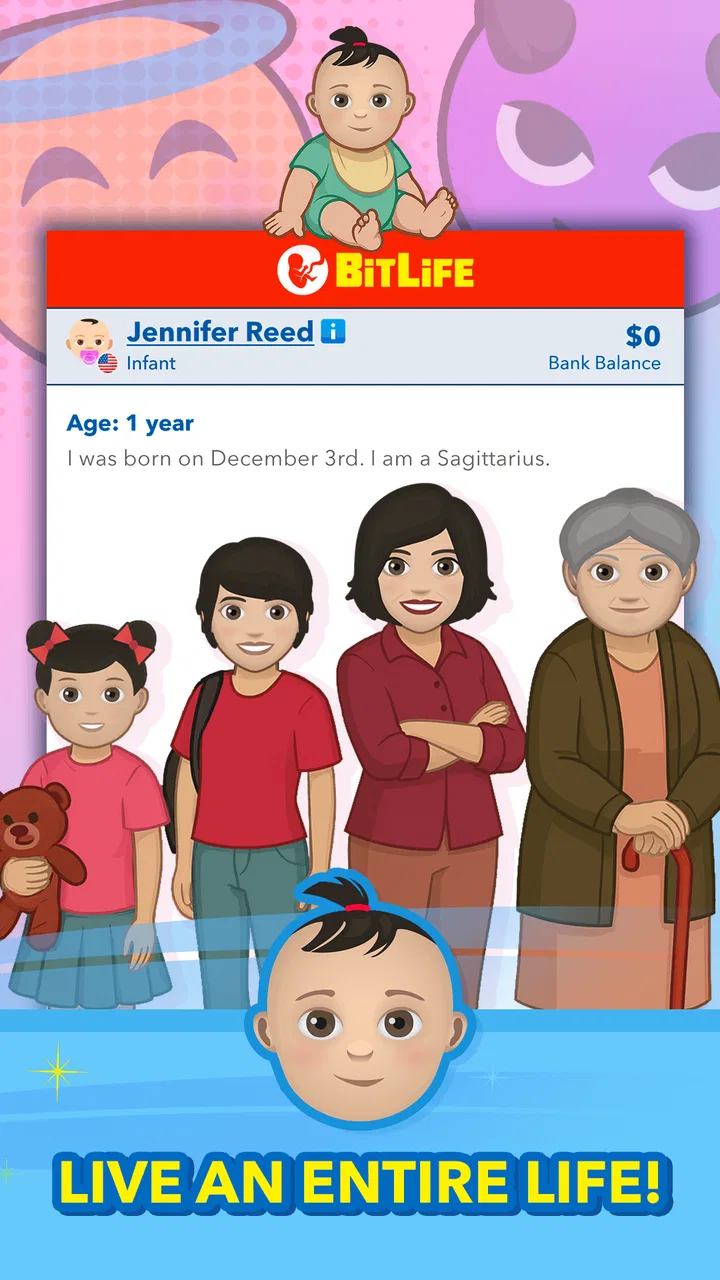
The interface is built around reading, selecting, and moving through events. That makes the experience approachable for people who prefer menus and text over fast reflexes. I do not need to memorize complicated controls or react to enemies crossing the screen. Instead, I read what is happening, choose an action, and review the result. For many players, that creates a calmer starting point than a conventional simulation with crowded dashboards, tiny icons, and several systems competing for attention.
You May Also Like

 Pandora - Music & Podcasts
Pandora’s Music Is Easy to Start, but Harder to Recover
Pandora’s strength is its low-effort path from a seed to a station. Its weak spot is how much confidence it asks you to place in connection, setup, and quiet recovery.

 AccuWeather: Weather Radar
AccuWeather Review: A Quick, Clear Forecast for Everyday Decisions
For everyday plans, the best forecast is the one you can understand quickly. AccuWeather makes rain timing, radar, and local conditions easy to act on, with a few trade-offs.

 Hill Climb Racing
Why Hill Climb Racing Still Turns Crashes Into One More Run
A tiny car, a bumpy hill and one more upgrade: Hill Climb Racing keeps resurfacing because its simple chaos makes every near-miss feel personal.

 AliExpress - Shopping App
AliExpress Makes Global Shopping Feel Personal, but Shoppers Bear the Risk
AliExpress turns a global marketplace into a pocket-sized discovery engine. Its reach is useful, its shopping loop compelling, and its trade-offs easy to miss.

 Lords Mobile: Kingdom Wars
Lords Mobile Is a Kingdom-Building Routine, Not a Quick Match
A case-by-case verdict on the building, battles, device demands, and social commitments that make Lords Mobile rewarding for some players and exhausting for others.

 PDF Scanner app - TapScanner
TapScanner Makes Paperwork Easier to Capture, Check, and Share
TapScanner makes scanning with a phone feel less like a rescue operation and more like a dependable step in getting work done. Its capture tools are useful, though not flawless.
More From Our News Desk
View All News


Navigation is generally easy to understand because the game’s central rhythm is consistent: inspect the current situation, choose from available actions, then advance the character’s life. The simplicity is useful when I am playing briefly on a phone, especially if I only have enough attention for a few decisions. It also makes the game easier to explain to someone who has not played life simulators before.
That simplicity does not mean every part is equally effortless. A life simulator can present a lot of information over time, and the meaning of an option is sometimes more interesting after the choice than before it. Players who want complete predictability may find the experience frustrating because experimentation is part of the appeal. I usually treat an early character as a test run, learning which choices lead to useful opportunities and which ones create problems that are difficult to undo.
For readability, the strongest approach is to play in a comfortable environment rather than rushing through decisions. The game rewards attention to the wording of events, so a larger phone display or a tablet can make longer sessions more pleasant. I would not describe it as a game that depends on visual spectacle. Its appeal comes from readable information and the anticipation of the next consequence.
The large community around it supports that impression. BitLife has an average rating of 4.4 from around 1.3 million ratings, with roughly 249 thousand written reviews and over 50 million installs. Those figures do not guarantee that every player will enjoy the same style, but they do show that the text-led life-simulation format has reached a broad audience.
Why the choice-based format helps different players
One useful strength is that the game separates decision-making from physical precision. Someone who finds rapid tapping, aiming, or timed gestures uncomfortable can still participate in the central experience. I can pause mentally, read an event, and decide what kind of life I want to build. That makes it a reasonable choice for players who prefer thoughtful interaction or who simply want a less demanding alternative to action games.
The format can also work well for people who enjoy storytelling but do not want to write everything themselves. I am not asked to invent every detail of a character’s biography. The game supplies situations, while I decide how to respond. This creates a middle ground between a fully authored story and a blank creative tool.
There is a trade-off, though. The interface may be simple, but the experience is not always emotionally simple. A player can encounter mature themes, difficult outcomes, and choices that feel uncomfortable. The age rating is Mature 17+, so I would not hand it to a younger player simply because the controls look harmless. Adults who share a device should also remember that a text-based presentation can still contain content they may not want children to encounter.
Motor and sensory considerations during play
From a motor perspective, the game is much less demanding than most games in the simulation space. I am not steering a vehicle, arranging objects with precision, or maintaining a rapid input sequence. The core interaction is selecting options and moving through the character’s life. That makes it suitable for relaxed one-handed play in situations where a more physically active game would be inconvenient.
However, “low reflex demand” should not be confused with universal ease. Repeated tapping can still be tiring for someone with limited hand endurance, and small touch targets can be harder to use on a compact screen. The practical solution is to avoid marathon sessions, hold the device in the most stable position, and use a larger display when available. I also find that short sessions work better because the game’s decisions remain clearer when I am not mentally fatigued.
For sensory preferences, the restrained presentation is a positive for players who do not need constant animation or visual effects. The experience is primarily about text, menus, and outcomes rather than a busy three-dimensional world. That can reduce visual distraction compared with simulation games that fill the screen with moving objects and overlapping indicators.
On the other hand, anyone who needs highly customized display controls should test the game personally before relying on it. I would not assume that a clean interface automatically provides every adjustment a player might need. People who depend on specific text enlargement, contrast, color, or screen-reader behavior should check how their own device handles the game and whether the important choices remain comfortable to read and activate.
Audio is not the reason to choose this title. I can understand its main loop through the written interface, which is helpful if I am playing somewhere quiet is not possible or if I prefer not to use sound. That also makes it more practical in a waiting room, on public transport, or beside someone who is sleeping. The important information is carried by the events and decisions rather than by spoken instructions or a soundtrack.
Playing in ordinary, interrupted situations
One of my favorite ways to use the game is during a short break when I want a complete sense of progress without starting a large campaign. I might begin a new character while waiting for an appointment, make several choices, and stop after a major turning point. Because the structure is based on life events rather than real-time combat, an interruption is less likely to ruin a carefully timed sequence.
That does not mean every moment is equally suitable for casual play. If I am distracted, I can select an option without considering its longer-term effect. The best routine is to read the event first, identify whether it affects health, relationships, work, or money, and only then choose. This small pause makes the game feel more strategic and prevents me from treating every decision as a throwaway joke.
The game also fits different social contexts. I can play privately without needing a headset or a large amount of sound. It is less suitable when I need a completely hands-free activity, because the experience still depends on reading and tapping. It is also not ideal for a player looking for a shared local game; the appeal is mainly in following my own character and comparing stories afterward.
For people with limited attention, the short event cycle is useful, but the open-ended nature can work both ways. A quick session may feel satisfying because one decision can produce an immediate change. Alternatively, a player who prefers a clearly marked finish may feel that the game keeps asking for “one more” choice. I recommend setting a stopping point before beginning, such as reaching a particular age or completing a personal goal for the character.
What makes the simulation more than random button pressing
The best way to get value from BitLife is to create a plan for each character instead of choosing purely for shock value. I might decide that one life is about education and stability, while another is deliberately reckless. This turns the same general interface into different experiments. The contrast between those runs is more interesting than simply trying to produce the strangest possible outcome every time.
A second useful habit is to treat failure as information. If a character loses an opportunity, develops a problem, or ends up in an unexpected situation, I do not immediately regard the run as wasted. I look at which earlier decision may have contributed. That gives the game a light strategic layer, even though it remains accessible and playful rather than becoming a detailed management simulator.
A third insight is that the game works well as a prompt for personal storytelling. After an unusual event, I sometimes imagine what the character would say, how a friend would react, or what choice might repair the damage. Players who enjoy journaling, improvisation, or discussing “what would you do?” scenarios may find more depth here than the store summary suggests.
There is also a practical reason to avoid rushing through every available option. When I make choices with a character’s long-term identity in mind, the resulting story feels more coherent. A character who repeatedly changes direction can be entertaining, but a character with a recognizable pattern—careful, ambitious, impulsive, generous, or rebellious—gives each event more meaning.
Where the experience can become frustrating
The same randomness that creates funny stories can weaken the feeling of control. I am guiding the character, but I am not authoring every result. Players expecting a precise life-planning tool may be disappointed when a carefully built path takes an unexpected turn. This is a simulation of choices and consequences, not a guarantee that sensible decisions produce a perfect outcome.
Another limitation is the possibility of repetition. The basic loop is easy to understand quickly, and players who need constant mechanical variety may eventually want something more complex. Compared with a management-heavy alternative, BitLife asks me to interpret events rather than optimize a large economy, build a detailed home, or control a world in real time. Compared with a traditional narrative game, it offers more freedom but less carefully scripted emotional pacing.
The Mature 17+ rating is an important barrier for families. The clean, menu-driven presentation could make the game appear suitable for a younger audience at first glance, but the intended audience is adults. I would choose a family-friendly life or city simulator for children, especially if the goal is learning about planning, budgeting, or creativity without mature subject matter.
Optional purchases are another point to consider. The game is free, which makes it easy to try, but in-app items cost between $0.99 and $27.99. I recommend deciding in advance whether the free experience is enough for you and using device-level purchase controls if other people can access the phone. For a casual player, spending is not necessary to understand the central appeal; for a dedicated player, optional content may become tempting over time.
Players who need extensive accessibility customization may also want to compare it with a game whose settings are more explicitly designed around their requirements. I found the text-and-choice structure approachable, but approachability is not the same as a complete accessibility solution. The right test is personal: can you comfortably read the event, identify the available choices, activate the intended option, and continue without strain?
Who should choose it, and who should look elsewhere
I recommend it to adults who enjoy experimenting with consequences, reading short scenarios, and building stories through decisions. It is especially appealing if you want a game that can be played in small bursts, works without relying on reflexes, and changes character direction quickly. It is also a good fit for someone who likes discussing alternate outcomes with friends: “What would you have chosen?” is often more entertaining than simply comparing scores.
I would steer away from it if you need a tightly authored plot, deep visual customization, or a simulation where every result follows a transparent set of rules. It is not the best substitute for a detailed city builder, a spreadsheet-style management game, or a conventional role-playing adventure. Those alternatives provide more control over systems, environments, or combat, while this game focuses on the story produced by personal choices.
It may also be a poor match if mature themes are a concern or if you dislike replaying a familiar structure with different outcomes. The game’s appeal depends on accepting uncertainty and using setbacks as part of the entertainment. If that sounds irritating rather than interesting, a more predictable narrative experience will probably serve you better.
My inclusive verdict after living several digital lives
BitLife succeeds because it makes a life simulator readable, portable, and easy to enter without stripping away all surprise. I can play quietly, make choices at my own pace, and stop after a few minutes. The low physical demand broadens its appeal, while the text-led design gives players who prefer calmer interfaces a clear alternative to fast or visually crowded games.
Its inclusive strengths have boundaries. Comfortable reading, touch interaction, and tolerance for mature subject matter still matter. The game does not replace a purpose-built accessible experience for every player, and its simple controls cannot solve display or motor needs that require specialized adjustments. I would evaluate it on my own device before recommending it to someone with specific access requirements.
Even with those reservations, I think the free starting point makes it worth trying for the right audience. Candywriter, LLC has created a simulation that is less about winning a fixed challenge and more about seeing what kind of story emerges from a sequence of decisions. If you approach each character as an experiment rather than a perfect plan, the game becomes far more rewarding.
My final recommendation is for adults who want a flexible, choice-driven game they can enjoy during short breaks or longer reflective sessions. I would skip it for children, for players seeking detailed visual management, or for anyone who needs guaranteed outcomes. For everyone else, BitLife offers an accessible-feeling doorway into life simulation, with enough unpredictability to keep a familiar menu loop surprisingly fresh.
FAQs for BitLife - Life Simulator
01What is BitLife - Life Simulator?
BitLife - Life Simulator is a text-based mobile game that lets you experience a fictional life from birth to old age. You make choices about education, relationships, careers, money, health, crime, and family, while random events shape your story. There are no fixed objectives, so each playthrough can develop in a completely different direction.
02Is BitLife - Life Simulator free to download and play?
BitLife can generally be downloaded for free, but the game includes optional in-app purchases and premium features. The free version offers plenty of activities and life scenarios, while paid content may unlock additional careers, items, customization options, or special gameplay features. Players should review the store listing and purchase settings before downloading, especially on shared devices.
03Does BitLife require an internet connection?
Many of BitLife’s main life-simulation features can be played offline, making it suitable for quick sessions while traveling or when a connection is unavailable. However, certain features, advertisements, cloud-related functions, updates, or purchases may require internet access. Availability can also vary by device, operating system, game version, and region.
04Is BitLife appropriate for children and younger players?
BitLife is designed for mature audiences because its fictional scenarios can include crime, gambling, drugs, violence, sexual references, death, and other adult themes. Although the presentation is mostly text-based, the subjects may still be unsuitable for children. Parents should check the current age rating, review the game’s content, and consider enabling purchase restrictions.
05What can you do in BitLife - Life Simulator?
The game allows you to guide a character through many stages of life, including childhood, school, university, employment, marriage, parenting, retirement, and death. You can pursue ordinary or unusual careers, manage finances, build relationships, commit crimes, travel, and respond to unexpected events. The broad choice system encourages experimentation and replayability rather than one correct strategy.
Pros
- Many life paths and careers make each playthrough feel different.
- Simple menus make the simulator easy to learn and navigate.
- Random events add surprises and keep older characters engaging.
- Customizable characters and family choices improve replay value.
- Works well in short sessions when you only have a few minutes.
Cons
- Frequent ads can interrupt the experience for free players.
- Some careers
- locations
- and features require paid access.
- Choices may become repetitive after extended play.
- Random outcomes can sometimes feel unfair or poorly explained.
- The game needs regular updates to keep long-term players interested.

BitLife - Life Simulator
Gallery